A Beginner's Guide to Machine Learning Pipelines in Python
Learn how to build end-to-end machine learning pipelines with scikit-learn, pandas, and MLflow — from data loading and preprocessing to training, evaluation, and deployment.
April 4, 2026 · 2.4K views

Table of Contents (13)
What Is a Machine Learning Pipeline?
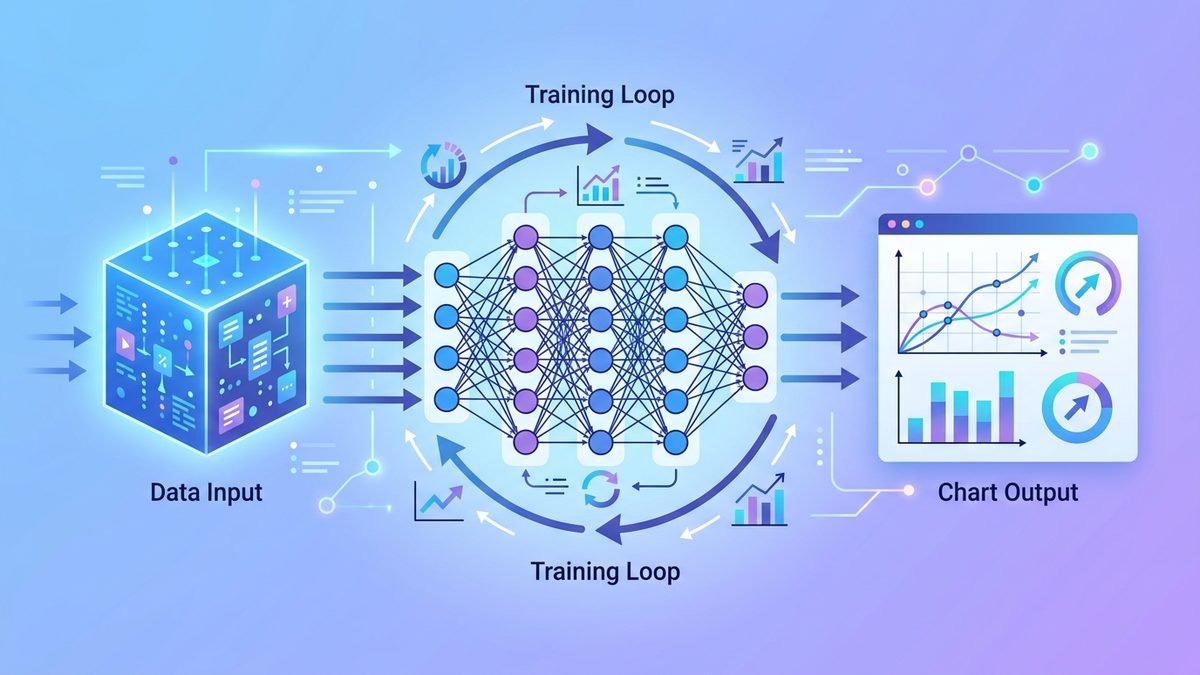
A machine learning pipeline is the end-to-end sequence of steps that turns raw data into predictions in production. It is the unsexy 80% of any real ML project — and the part that separates demos from products. In this beginner's guide we will build a complete pipeline in Python using the tools that have stood the test of time: pandas, scikit-learn, and MLflow.
By the end of this article you will understand:
- How to load, clean, and split your data reliably
- How to chain preprocessing and modeling so they are reproducible
- How to track experiments and pick the best model
- How to package the pipeline so it can serve predictions
Step 1: Load and Explore the Data
Every machine learning project starts the same way: load the data and stare at it long enough to know what you are dealing with.
import pandas as pddf = pd.read_csv("customers.csv")
print(df.shape, df.dtypes)
print(df.describe(include="all"))
print(df.isna().mean().sort_values(ascending=False).head())
Look for missing values, weird outliers, label imbalance, and leakage candidates (anything that would not be known at prediction time).
Step 2: Split Before You Touch Anything Else
Split first, transform second. This is the single most important rule in machine learning hygiene.
from sklearn.model_selection import train_test_splitX = df.drop(columns=["churned"])
y = df["churned"]
X_train, X_test, y_train, y_test = train_test_split(
    X, y, test_size=0.2, stratify=y, random_state=42)
If you fit anything (a scaler, an imputer, a vocabulary) on the full dataset, your test scores are lying to you.
Step 3: Build a Pipeline With sklearn
sklearn.pipeline.Pipeline and ColumnTransformer let you chain preprocessing and modeling into a single object that handles .fit and .predict correctly.
from sklearn.pipeline import Pipeline
from sklearn.compose import ColumnTransformer
from sklearn.preprocessing import StandardScaler, OneHotEncoder
from sklearn.impute import SimpleImputer
from sklearn.ensemble import GradientBoostingClassifiernum_cols = ["age", "monthly_spend", "sessions"]
cat_cols = ["plan", "country"]
pre = ColumnTransformer([
("num", Pipeline([("imp", SimpleImputer()), ("sc", StandardScaler())]), num_cols),
("cat", OneHotEncoder(handle_unknown="ignore"), cat_cols),
])
pipe = Pipeline([
("pre", pre),
("clf", GradientBoostingClassifier(random_state=42)),
])
pipe.fit(X_train, y_train)
print("test acc:", pipe.score(X_test, y_test))
This single object now embeds your preprocessing rules. Save it, deploy it, ship it.
Step 4: Track Experiments With MLflow
A pipeline without experiment tracking is just a notebook with extra steps. MLflow gives you a permanent log of every run, parameters, metrics, and artifacts.
import mlflow, mlflow.sklearn
from sklearn.metrics import roc_auc_scorewith mlflow.start_run():
    pipe.fit(X_train, y_train)
    auc = roc_auc_score(y_test, pipe.predict_proba(X_test)[:, 1])
    mlflow.log_metric("auc", auc)
    mlflow.log_param("model", "GradientBoosting")
    mlflow.sklearn.log_model(pipe, "model")
When you run this twenty times with different parameters, you will see a sortable table of every experiment in the MLflow UI.

Step 5: Deploy the Pipeline
Because the pipeline includes preprocessing, deployment is simple:
import joblib
joblib.dump(pipe, "churn_pipe.joblib")In your API
loaded = joblib.load("churn_pipe.joblib")
prob = loaded.predict_proba(payload)[:, 1]
Wrap this in a Flask, FastAPI, or Hono service, put it behind a load balancer, and you have a real product.
Common Pitfalls
- Fitting on the full dataset — always fit on train only.
- Different feature order at prediction time — the pipeline solves this if you keep using DataFrames with the same column names.
- Silent class imbalance — set
class_weight="balanced"or use theimbalanced-learnlibrary. - Not versioning data — MLflow can log the data hash so you know which data each run trained on.
- Skipping cross-validation — a single train/test split can swing your metric by several points. Use
cross_val_scorefor stable estimates.
What to Build Next
Once your first pipeline is in production, the natural next steps are:
- Add data validation with Great Expectations or Pandera so bad data fails loudly.
- Add feature stores like Feast so the same features serve training and inference.
- Add monitoring — log predictions and labels, compute drift weekly.
- Move to scheduled retraining with Airflow, Prefect, or Dagster.
Every one of these steps is straightforward when your pipeline is already a single sklearn Pipeline object.
A Realistic Project Structure
Beginners often dump everything into one notebook. Once your pipeline grows past 200 lines, that becomes painful. A simple project layout that scales surprisingly far is:
churn-pipeline/
  data/
    raw/             # immutable input data
    processed/       # cleaned outputs
  notebooks/         # exploration only
  src/
    features.py
    train.py
    evaluate.py
    serve.py
  tests/
  configs/
  Dockerfile
  pyproject.toml
Notebooks are great for exploration; production logic lives in src/. Run training with python -m src.train --config configs/default.yaml and you get a process that any teammate can reproduce on day one.
Hyperparameter Tuning Without the Hype
A first reflex is to grab Optuna and search a giant grid. Resist it for one week. Often the biggest wins come from:
- Better features — domain-specific transforms beat hyperparameter tweaks ten times out of ten.
- More data — if you can double the dataset cheaply, do it before tuning.
- A simpler model — gradient boosting on tabular data still wins most Kaggle competitions in 2026.
Once those are exhausted, then bring in Optuna or HalvingGridSearchCV for systematic tuning. Always tune on cross-validation folds, never on the test set.
What Pipelines Look Like in Industry
Beyond the simple sklearn Pipeline, real-world pipelines often involve:
- A feature store like Feast for sharing features between training and serving
- A workflow orchestrator like Prefect, Airflow or Dagster to schedule daily jobs
- A model registry in MLflow, Weights & Biases, or Vertex AI
- CI/CD for models — tests that fail the build if metrics drop on a held-out set
- Online and offline serving — a low-latency REST/gRPC endpoint plus batch scoring
You do not need all of this on day one. The strength of starting with sklearn Pipeline + MLflow is that each of these can be added incrementally without rewriting your code.
Five Mistakes to Avoid
After helping dozens of teams build their first pipelines, the same mistakes show up:
- Treating notebooks as production code — refactor into
.pyfiles as soon as the project gets serious. - Hard-coding paths — use
pathlib.Pathand config files. Your future self running on a laptop, server, and CI will thank you. - No reproducibility — pin Python and library versions in
pyproject.tomland seed every random source. - Optimizing the wrong thing — pick the metric your business cares about and stick with it.
- Shipping without monitoring — even a simple weekly report comparing predictions to actuals beats nothing at all.
Conclusion
Machine learning pipelines do not have to be complicated. Start with pandas and scikit-learn, wrap your preprocessing and model in one Pipeline object, log every run with MLflow, and ship a joblib file behind an API. Layer in feature stores, orchestration, and registries only when the simpler setup starts to creak. That progression will take you from "I built a model in a notebook" to "I deploy reliable predictions in production" — which is the real goal of applied machine learning.
Share this article
Written by
AdminThe Topdevguide editorial team — covering AI, software development, and tech career trends across the USA & Australia.