Building AI Agents with Claude Tool Use: The Complete Developer Guide (2026)
Learn how to build production-ready AI agents with Claude's tool use API. This hands-on guide covers agentic architecture patterns from Anthropic, real Python code, tool design best practices, guardrails, evaluation, and deployment strategies trusted by engineering teams worldwide.
April 13, 2026 · 4.3K views
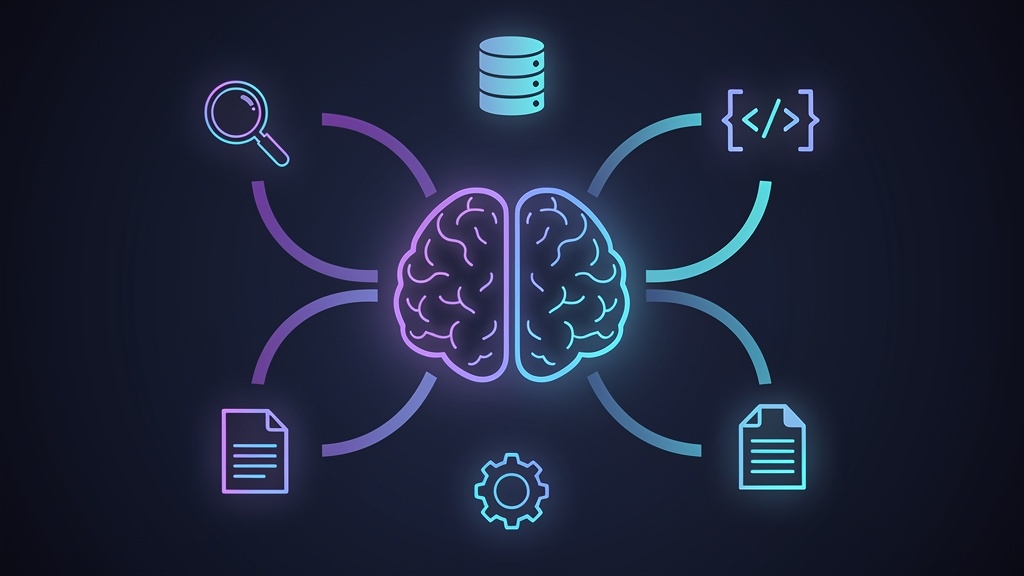
Table of Contents (30)
Building AI Agents with Claude Tool Use: The Complete Developer Guide
AI agents have moved beyond proof-of-concept demos. In production today, they research topics, triage support tickets, query internal databases, draft reports, and orchestrate multi-step workflows, all without a human clicking through every step. According to Anthropic's own research, the most successful agent implementations are not built on complex frameworks. They use simple, composable patterns with clear tool boundaries.
This guide is written for developers who want to build reliable, production-grade AI agents using Claude's tool use API. We cover what AI agents actually are, how Claude's tool use system works under the hood, five proven architecture patterns from Anthropic, complete Python code examples, tool design principles, production guardrails, evaluation strategies, common mistakes, and a deployment checklist.
If you are new to the broader LLM ecosystem, start with our LLM & Generative AI: A Developer's Guide to Building with GPT-5, Claude, and Gemini for essential context. If prompt quality is your bottleneck, read Prompt Engineering: The Developer's Secret Weapon first.
What Is an AI Agent, Really?
An AI agent is a software system where an AI model does more than generate text. It reasons about a goal, selects and executes tools, inspects results, adjusts its plan, and continues until the task is done or a human intervenes.
Anthropic draws an important distinction between two types of agentic systems:
- Workflows: LLMs and tools orchestrated through predefined code paths. The developer controls the exact sequence.
- Agents: LLMs that dynamically direct their own processes and tool usage. The model decides what to do next based on results so far.
Both are useful. Workflows give you predictability and consistency. Agents give you flexibility when the number of steps or the exact tools needed cannot be predicted in advance.
A practical agent flow works like this:
- The user describes a goal.
- Claude reasons about what information or action is needed.
- Claude selects a tool and produces structured input arguments.
- Your application executes that tool call.
- The tool result is sent back to Claude.
- Claude evaluates: is another step needed, or is the task complete?
- Claude produces a final answer, or asks for human confirmation.
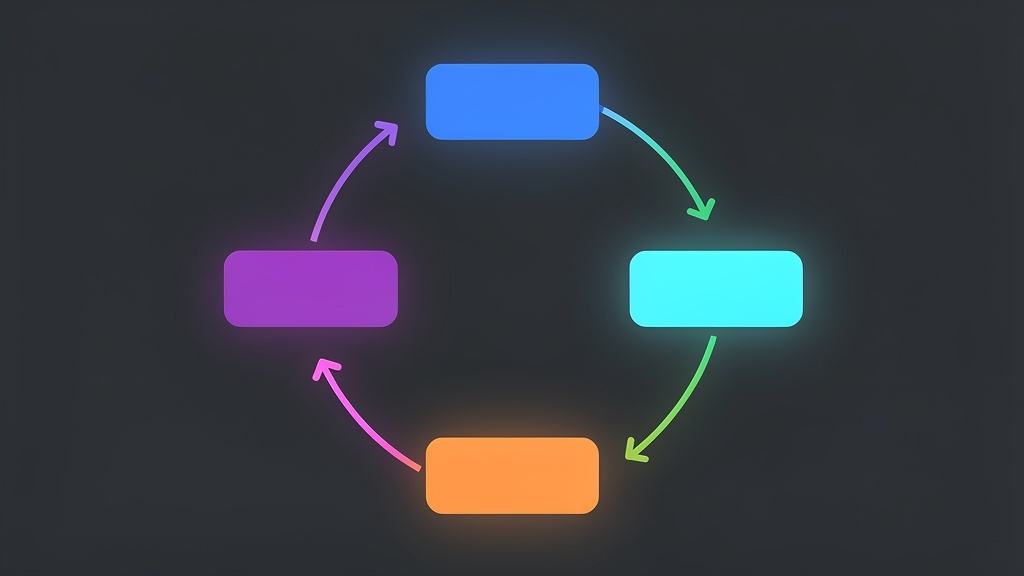
That loop, sometimes called the agentic loop, is what separates agents from simple chatbots. The model is not just generating text. It is coordinating work across systems.
For example, instead of asking Claude to guess the latest web development trends, you can build an agent that searches the web, reads relevant sources, extracts patterns, compares claims, and returns a cited summary using live data.
Why Claude's Tool Use API Is Different
Many LLM APIs support some form of function calling. What makes Claude's tool use particularly well-suited for agents?
Structured contracts, not free-form instructions. You define each tool with a name, description, and JSON Schema for inputs. When Claude decides to use a tool, it returns a structured tool_use content block with the tool name and validated input arguments. Your backend receives a clean, predictable request.
{
  "type": "tool_use",
  "name": "search_developer_docs",
  "input": {
    "query": "authentication API rate limits",
    "section": "security"
  }
}
Your application stays in control. Claude never executes tools directly. It requests a tool call; your code decides whether to execute it. This is critical when tools access databases, customer records, internal APIs, payment flows, or infrastructure, exactly the kind of systems where you want permission checks, audit logs, and rate limits.
Composable by design. Tool use works with any Claude model. You choose the model based on your quality, latency, and cost requirements. A simple lookup task does not need the most powerful model. A complex multi-step analysis might. The same tools work across models, so you can upgrade without rewriting your tooling layer.
If you are already building backend APIs, Claude's tool use pattern will feel familiar. Your tools are essentially API endpoints that Claude can discover and call. For a lightweight starting point, see our tutorial Build a Production REST API in One Hour with Hono.
The Five Core Components of a Claude Agent
Every production Claude agent has five parts. Miss one, and you get a demo. Nail all five, and you get reliable software.
1. The Model
Claude handles reasoning, planning, tool selection, result interpretation, and response generation. Pick the smallest model that reliably solves your task, then measure performance on real examples. Do not choose a model because it is new. Choose it because it passes your evaluation set.
2. Tools
Tools are functions your application exposes to Claude. A tool can search documentation, fetch customer data, read a URL, create a support ticket, calculate a price, query logs, or call an internal API.
Good tools are narrow, well-named, and predictable. A tool called do_everything is dangerous because Claude has to infer too much. A tool called search_developer_docs, with a clear schema and detailed description, gives the model a much better chance of choosing correctly.
3. The Orchestration Loop
This is the application code that sends messages to Claude, receives tool requests, executes tools, appends tool results, and calls Claude again until the task is done.
This loop needs hard limits: maximum tool-call counts, timeouts per call, retry policies, and stopping conditions. Without constraints, an agent can become slow, expensive, or stuck in loops.
4. Memory and State
Some agents need context: conversation history, user preferences, task progress, retrieved documents. But more context is not always better. Long, messy context makes agents expensive and less reliable. Store structured state outside the prompt when possible. Summarize long histories. Keep only what the current step needs.
5. Guardrails
Guardrails define what the agent can and cannot do: input validation, backend authorization, approval flows, rate limits, allowed domains, deny lists, audit logs, budget caps.
Any agent that modifies data, sends messages, changes permissions, or accesses private information needs strong guardrails. The model can reason about safety, but your backend must enforce it.
Building a Research Agent: Complete Python Example
Here is a practical Python implementation of a research agent that can search the web and read URLs before writing a summary. In production, you would add authentication, retries, structured logging, rate limits, and error recovery.
import anthropic
import jsonclient = anthropic.Anthropic()
Define tools with clear, detailed descriptions
tools = [
{
"name": "web_search",
"description": "Search the web for current information. Returns titles, URLs, and snippets. Use for finding recent data, documentation, or articles on a topic.",
"input_schema": {
"type": "object",
"properties": {
"query": {
"type": "string",
"description": "The search query. Be specific for better results."
}
},
"required": ["query"]
}
},
{
"name": "read_url",
"description": "Read the visible text content of a web page. Use after web_search to get full content from a promising result.",
"input_schema": {
"type": "object",
"properties": {
"url": {
"type": "string",
"description": "The full URL to read."
}
},
"required": ["url"]
}
}
]
def web_search(query: str) -> dict:
# Replace with a real search API (Google, Bing, Brave, etc.)
return {"results": [{"title": "Example", "url": "https://example.com", "snippet": "Example snippet."}]}
def read_url(url: str) -> dict:
# Replace with your HTML-to-text extraction service
return {"url": url, "content": "Extracted page content here."}
def execute_tool(name: str, tool_input: dict) -> str:
handlers = {"web_search": lambda i: web_search(i["query"]),
"read_url": lambda i: read_url(i["url"])}
if name not in handlers:
return json.dumps({"error": f"Unknown tool: {name}"})
return json.dumps(handlersname)
def run_agent(user_message: str, max_turns: int = 10) -> str:
messages = [{"role": "user", "content": user_message}]
for turn in range(max_turns):
response = client.messages.create(
model="claude-sonnet-4-20250514",
max_tokens=4096,
tools=tools,
messages=messages,
)
# If Claude is done (no more tool calls), return the text
if response.stop_reason == "end_turn":
return "".join(b.text for b in response.content if b.type == "text")
# Process each tool call
tool_results = []
for block in response.content:
if block.type == "tool_use":
print(f" Tool call: {block.name}({block.input})")
result = execute_tool(block.name, block.input)
tool_results.append({
"type": "tool_result",
"tool_use_id": block.id,
"content": result,
})
# Append assistant response and tool results for next turn
messages.append({"role": "assistant", "content": response.content})
messages.append({"role": "user", "content": tool_results})
return "Agent reached maximum turns without completing."
Run it
answer = run_agent("Research the top 3 architecture patterns for production AI agents. Cite your sources.")
print(answer)
The key insight: this is just a loop. Claude chooses tools, your code executes them, and Claude sees the results. The architecture is the same whether you are building a research agent, a customer support copilot, or an engineering operations assistant. Always check Anthropic's official documentation before shipping, as the SDK syntax may evolve.
Five Architecture Patterns That Work in Production
Anthropic's research team, after working with dozens of production teams, identified these recurring patterns. The right choice depends on your task complexity, risk tolerance, and user experience requirements.
1. Prompt Chaining
Break a task into a fixed sequence of steps. Each LLM call processes the output of the previous one. Add programmatic checks between steps to verify quality.
Best for: Tasks with clear, predictable steps. Example: generate marketing copy, then translate it, then check brand guidelines.
2. Routing
Classify the input and direct it to a specialized handler. Billing questions go to a billing workflow. API questions go to a docs assistant. Security issues go to an incident handler.
Best for: Systems where different request types need fundamentally different tools and prompts. This is how you avoid one massive, unfocused agent. If you are building web applications that handle diverse user interactions, this pattern aligns with the architecture patterns for modern web apps we covered previously.
3. Parallelization
Run multiple LLM calls simultaneously, either by splitting a task into independent subtasks (sectioning) or by running the same task multiple times for diverse outputs (voting).
Best for: Code review (multiple prompts check different vulnerability types), content moderation (multiple evaluators reduce false positives), or any task where focused attention on separate aspects improves quality.
4. Orchestrator-Workers
A central LLM dynamically breaks down tasks and delegates them to worker LLMs. Unlike parallelization, the subtasks are not predefined. The orchestrator decides based on the specific input.
Best for: Complex, unpredictable tasks like multi-file code changes or research across diverse sources.
5. Evaluator-Optimizer
One LLM generates a response. Another evaluates it and provides feedback. The loop continues until quality criteria are met.
Best for: Tasks where iterative refinement adds measurable value, literary translation, complex search queries, or polished document generation.
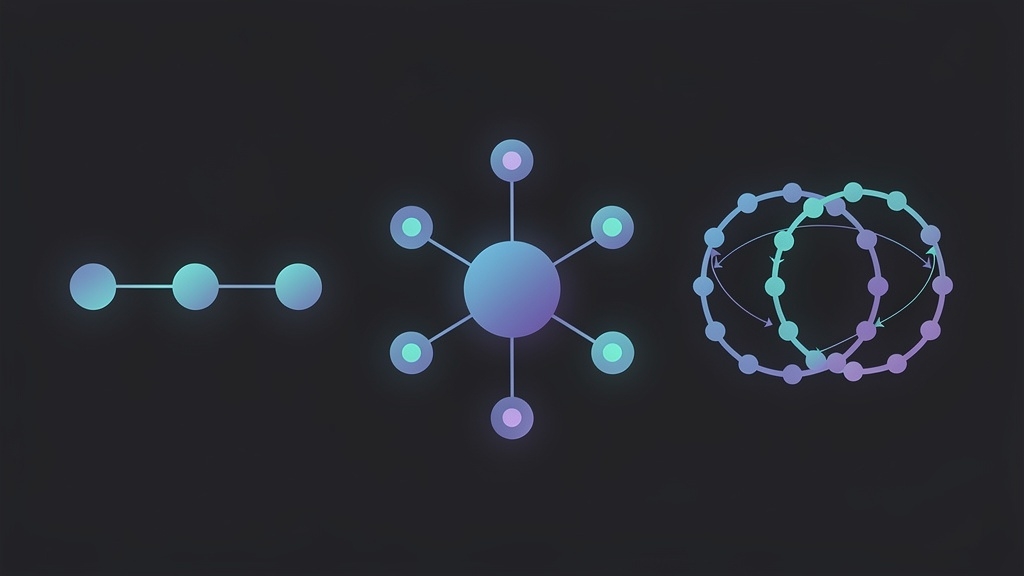
Start with the simplest pattern that works. Anthropic's top recommendation: find the simplest solution possible and only increase complexity when it demonstrably improves outcomes.
Designing Tools That Actually Work
Anthropic's engineering team reports they spent more time optimizing tools than overall prompts when building their SWE-bench coding agent. Tool design is where demos become products.
Principle 1: Make Tools Narrow
Each tool should do one thing well. Use search_knowledge_base, get_customer_by_email, or create_support_ticket, not a broad manage_customer tool. Narrow tools reduce ambiguity and simplify testing.
Principle 2: Write Tool Descriptions Like Documentation
Claude uses descriptions to decide when a tool is relevant. A weak description: "Search docs." A strong description: "Search the internal developer documentation for APIs, SDKs, deployment guides, authentication flows, and platform-specific implementation details. Returns the top 5 matching sections with relevance scores."
Think of tool descriptions as writing documentation for a junior developer on your team, which is exactly how Anthropic frames it.
Principle 3: Validate Every Input
Never trust model-generated arguments. Validate required fields, string lengths, allowed values, URL domains, user permissions, numeric ranges, SQL parameters, and file paths. Schema validation is not enough; your backend must enforce business rules and security constraints.
Principle 4: Use Safe Workflows
Read-only tools are safer than write tools. Draft actions are safer than direct actions. Instead of giving an agent a direct send_email tool, use a three-step sequence:
draft_email- Agent creates the contentrequest_approval- Human reviews the draftsend_approved_email- Only executes after explicit approval
This adds friction, but prevents expensive mistakes. For applications that handle sensitive operations, this pattern is non-negotiable.
Principle 5: Optimize the Agent-Computer Interface
Anthropic coined the term Agent-Computer Interface (ACI), analogous to Human-Computer Interface (HCI). Their recommendations:
- Give the model enough tokens to think before writing.
- Keep formats close to what the model has seen in training data.
- Avoid formatting overhead like counting lines or escaping strings.
- Test extensively: run many example inputs and iterate on the mistakes.
- Poka-yoke your tools: design arguments so mistakes are structurally difficult.
Production Guardrails: The Non-Negotiable Layer
The fastest way to create a dangerous agent is to give it powerful tools without limits. Here is a minimum guardrail framework:
Limit tool calls. A research task might allow 8 to 12 calls. A customer lookup might allow only 2 to 4. Set hard maximums.
Add timeouts. Every external call needs a timeout. Search APIs fail, crawlers hang, and internal services slow down. A stuck tool call should not freeze your agent.
Require confirmation for risky actions. Sending emails, deleting records, changing billing data, modifying permissions, triggering deployments, these should never happen without explicit human approval. The rule is simple: agents prepare risky actions, humans approve execution.
Enforce permissions in code. Claude can reason about whether a user should access data, but your backend must check authentication and authorization. Never rely on the prompt alone.
Log everything. User request, model-selected tools, tool inputs, tool outputs, errors, latency, final answer, approval decisions. These logs enable debugging, compliance, evaluation, and cost control.
For teams deploying agent-driven applications, applying web performance optimization principles to AI workflows is equally important. Agent latency compounds across multiple tool calls.
Evaluating Your Agent Like a Software Engineer
A demo that impresses stakeholders can fail catastrophically in production. You need systematic evaluation.
Build a test set of realistic user tasks covering:
- Easy cases: straightforward lookups
- Hard cases: multi-step research with ambiguity
- Unsafe requests: "delete all user records" (should be refused)
- Tool failure scenarios: what happens when a search API returns nothing?
- Edge cases: malformed input, very long queries, multiple languages
Measure whether the agent:
- Understood the user's actual goal
- Selected appropriate tools (no unnecessary calls)
- Passed valid, safe inputs to tools
- Stopped at the right time (not too early, not looping)
- Cited sources when making factual claims
- Refused unsafe actions correctly
- Produced a genuinely useful final answer
Run this evaluation set whenever you change prompts, tool definitions, model versions, or orchestration logic. This is how agent development becomes reliable software engineering instead of trial and error. Teams following best practices in DevOps and CI/CD pipelines can integrate agent evaluation directly into their deployment workflows.
Prompting Claude for Better Agent Behavior
Even with well-designed tools, system prompts matter. A practical system prompt sets role, constraints, and operating principles:
You are a developer research assistant.Rules:
- Use tools when current or external information is needed.
- Never invent facts, URLs, package names, or API behavior.
- If sources disagree, explain the disagreement with citations.
- For risky or irreversible actions, ask for human confirmation.
- If a tool fails, explain the failure and try an alternative.
- Keep answers practical, concise, and implementation-focused.
- When uncertain, say so rather than guessing.
This prompt does not micromanage every step. It gives Claude stable rules for tool selection, factuality, safety, and communication style. For advanced prompting techniques, see our deep dive on prompt engineering for developers.
Common Mistakes and How to Avoid Them
| Mistake | Why It Happens | Fix |
|---|
| Too much autonomy too early | Excitement about agent capabilities | Start with read-only tools, then drafts, then approved writes |
|---|---|---|
| No safety layer on internal APIs | Treating tools like internal functions | Build a tool gateway with validation, permissions, and logging |
| One giant tool | Trying to reduce tool count | Break into small, testable single-purpose tools |
| Ignoring cost | Not tracking per-task costs | Monitor cost per completed task, not per message |
| Trusting output blindly | Assuming tool results make agents correct | Add citations, structured outputs, and human review flows |
| No evaluation set | Shipping based on demo quality | Build a test suite before going to production |
When You Should NOT Build an Agent
Not every AI feature needs an agent. Skip agents when:
- The task is a single deterministic API call
- A standard search interface is sufficient
- The workflow has no branching or adaptation
- The user only needs text generation
- The risk of incorrect automated action is too high
A simple LLM call, a RAG pipeline, or traditional automation may be the better choice. Use agents when tasks require multi-step reasoning, dynamic tool selection, and adaptation based on intermediate results.
Production Deployment Checklist
Before shipping a Claude-powered agent, verify every item:
- Tools are narrow, clearly named, and well-described
- All tool inputs are validated in backend code
- User permissions are enforced outside the prompt
- A hard maximum on tool calls per request is set
- Timeouts and retries are configured for every external call
- Risky actions require explicit human approval
- Prompts and tool definitions are versioned in source control
- Every tool call (input, output, errors) is logged
- An evaluation set covers happy paths, edge cases, and unsafe requests
- Latency and cost per completed task are tracked
- Users can understand what the agent did (transparency)
- Humans can review or override important decisions
If several answers are "no," keep the agent in staging.
Real-World Use Cases Where Agents Shine
Developer documentation assistant. The safest starting point: most tools are read-only. It searches docs, retrieves pages, explains examples, and generates code snippets. If your audience is growing their skills, pair this with our Frontend Developer Learning Roadmap for 2026.
Customer support copilot. Searches help articles, summarizes previous tickets, looks up account information, and drafts responses. Sensitive account changes require human approval.
Engineering operations assistant. Queries logs, summarizes incidents, inspects deployment status, recommends next steps. For infrastructure teams, Kubernetes Best Practices for Production is essential companion reading.
Content research agent. Gathers sources, compares claims, extracts insights, and drafts structured outlines. A strong fit for Claude because it combines language understanding with live external information retrieval.
Code review agent. Uses parallelization to check security vulnerabilities, performance issues, and style violations simultaneously. Anthropic's own SWE-bench agent demonstrates this pattern's effectiveness.
If you are exploring AI career paths, building and deploying agents is one of the most valuable skills to develop. See our guide on transitioning from software engineer to ML engineer and the top AI tools every developer should know in 2026 for complementary reading.
Conclusion: Build Agents Like You Build Software
Claude's tool use API makes AI agents practical because it turns vague natural-language intentions into structured, validated tool calls. But the best agents are not the most autonomous. They are the most reliable.
Start small. Use read-only tools. Add clear schemas, strict validation, detailed logs, and an evaluation suite. Require human approval for anything risky. Measure latency, cost, and task success before expanding scope.
Three principles from Anthropic's research bear repeating:
- Simplicity: Keep your agent's design as simple as possible.
- Transparency: Show the agent's planning steps to users.
- Careful tooling: Invest as much effort in your Agent-Computer Interface as you would in any user-facing API.
AI agents are not magic. They are software systems. Build them with the same engineering discipline you apply to APIs, databases, deployment pipelines, and user-facing products. Ship narrow tools. Add guardrails. Measure behavior. Keep humans in control where it matters.
The teams that succeed are not the ones chasing the most complex agent architectures. They are the ones building the right system for their specific needs, and measuring whether it actually works.
Share this article
Written by
AdminThe Topdevguide editorial team — covering AI, software development, and tech career trends across the USA & Australia.