Top 10 AI Tools Every Developer Should Know in 2026: The Definitive Guide
A hands-on, research-backed guide to the 10 AI developer tools dominating 2026 — from Claude Code and Cursor to v0 and Devin. Real pricing, benchmarks, workflow tips, and honest trade-offs from daily use.
April 28, 2026 · 12.8K views
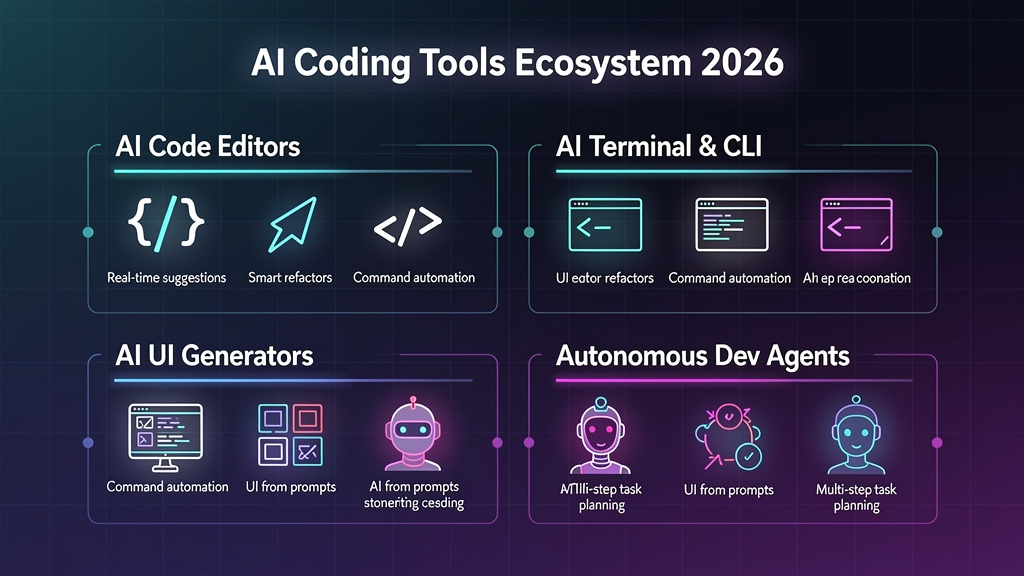
Table of Contents (19)
The AI Developer Tools Landscape Has Fundamentally Changed
Twelve months ago, AI coding tools were autocomplete helpers. In 2026, they are autonomous agents that clone repositories, spin up cloud environments, write multi-file features, open pull requests, and even deploy code — all while you review the output.
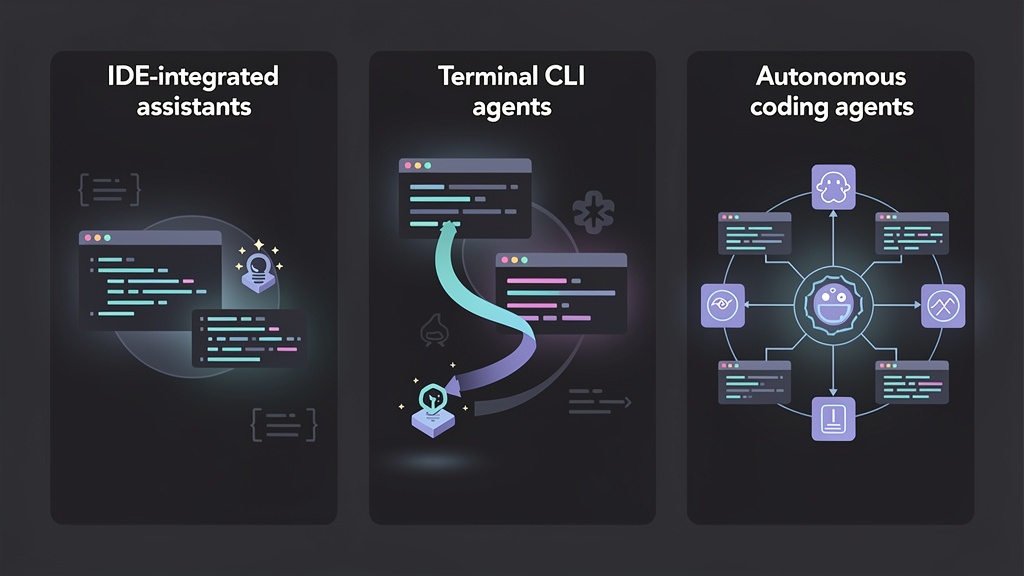
According to Gartner's 2025 Magic Quadrant for AI Code Assistants, the market has consolidated around three paradigms: IDE-native assistants (Cursor, GitHub Copilot), terminal CLI agents (Claude Code, OpenAI Codex CLI), and fully autonomous agents (Devin). Each solves different problems in your workflow.
This guide reflects hands-on experience across all 10 tools, supplemented by community benchmarks (SWE-bench Verified, HumanEval), official pricing pages, and developer surveys from Stack Overflow and JetBrains. If you're building your AI career path, mastering these tools is no longer optional — it's table stakes.
How We Evaluated These Tools
Before diving in, here's what we measured:
- Code quality — SWE-bench Verified scores where available
- Developer experience — setup friction, context handling, multi-file edits
- Pricing transparency — real monthly cost for daily professional use
- Privacy & security — local vs. cloud, SOC-2, data retention policies
- Ecosystem fit — IDE support, language coverage, CI/CD integration
Now let's break down the top 10.
1. Cursor — The AI-Native IDE That Replaced VS Code
Cursor is no longer just "VS Code with AI." In 2026, it is the most popular AI-first IDE among professional developers, according to the JetBrains Developer Ecosystem survey.
What makes Cursor dominant in 2026:
- Agent Mode — Give a high-level instruction ("add OAuth2 login with Google"), and Cursor edits multiple files, runs terminal commands, and iterates until tests pass
- Background Agents — Clone your repo in the cloud, let agents work autonomously on tasks, and receive a pull request when finished. You can run multiple background agents in parallel
- Multi-model selection — Switch between Claude Sonnet, GPT-4o, Gemini Pro, and custom fine-tuned models per conversation
- Codebase indexing — Cursor indexes your entire repo (up to 500K files) for context-aware completions and chat
- MCP (Model Context Protocol) support — Connect external tools, databases, and APIs as context sources
// Example: Cursor Agent Mode prompt
// "Add rate limiting middleware to all /api/* routes with 100 req/min per IP"// Cursor automatically:
// 1. Creates src/middleware/rateLimiter.ts
// 2. Integrates with existing Express/Hono app
// 3. Adds Redis connection for distributed counting
// 4. Updates tests and runs them
Pricing (2026): Free (limited) → Pro $20/mo → Pro+ $60/mo → Ultra $200/mo. Background agents consume usage from your plan.
Best for: Full-time developers who want AI deeply embedded in their editing flow. Pairs naturally with the techniques covered in our prompt engineering guide.
2. Claude Code — The Terminal-First AI Agent
Claude Code is Anthropic's agentic CLI tool that lives in your terminal. It scored 80.8% on SWE-bench Verified — the highest of any AI coding tool when it launched — and quickly became the most-used AI coding tool among professional engineers.
Key capabilities:
- Full codebase understanding — Reads your entire project structure, git history, and documentation
- Direct file editing — Creates, modifies, and deletes files without copy-pasting
- Command execution — Runs tests, lints code, manages git operations natively
- Multi-turn planning — Uses "plan mode" to reason through complex refactors before executing
# Example: Claude Code session
$ claude
> Refactor the authentication module to use JWT refresh tokens.
  Add a /auth/refresh endpoint, update the middleware, and write tests.Claude Code:
- Reads existing auth code
- Plans the refactor step-by-step
- Edits 5 files, creates 2 new ones
- Runs tests and fixes failures
- Commits with descriptive message
Pricing: Pro $20/mo (limited) → Max $100/mo (5x usage) → Max $200/mo (20x usage). API usage: ~$100–200/developer/month at Sonnet tier for heavy users.
Best for: Senior developers who prefer terminal workflows, complex multi-file refactors, and building AI agents. The natural companion to understanding LLM fundamentals.
3. GitHub Copilot — The Ecosystem Standard
GitHub Copilot remains the most widely adopted AI coding tool with over 15 million developers. In 2026, it evolved far beyond autocomplete:
2026 upgrades:
- Copilot Workspace — AI-powered issue-to-PR workflow: reads the issue, proposes a plan, generates code across files, runs CI
- Async Coding Agent — Assign GitHub issues to Copilot and receive completed PRs (similar to background agents in Cursor)
- Multi-model support — Now supports Claude, Gemini, and GPT-4o alongside its default model
- Copilot Extensions — Third-party integrations that extend Copilot with domain-specific knowledge
- Pull request reviews — Automated code review with security scanning and style enforcement
Pricing: Free (2000 completions/mo) → Pro $10/mo → Pro+ $39/mo → Enterprise $39/user/mo
Best for: Teams already on GitHub, organizations wanting standardized AI tooling, developers who prefer familiar VS Code/JetBrains IDEs. Essential knowledge for anyone following our DevOps deployment pipeline guide.
4. Windsurf (Devin Desktop) — Cascade Agent for Large Codebases
Windsurf earned the Gartner Magic Quadrant Leader designation for AI Code Assistants. Following Cognition's acquisition, it's now branded as Devin Desktop — combining Windsurf's IDE with Devin's autonomous capabilities.
What sets Windsurf apart:
- Cascade — A persistent, context-aware agent that breaks complex tasks into multi-step reasoning chains, delegating subtasks and maintaining coherence across files
- Deep codebase understanding — Indexes repositories with millions of lines, understanding architecture patterns and dependencies
- Multi-model orchestration — Cascade intelligently routes subtasks to the most appropriate model
- Enterprise-ready — SSO, SCIM, audit logs, SOC-2 Type II compliance
Note: Cognition announced Cascade will reach end-of-life on July 1, 2026, as they transition to a unified Devin Desktop experience. Evaluate accordingly.
Pricing: Pro $15/mo → Teams $30/user/mo → Enterprise (custom)
Best for: Enterprise teams with large monorepos, organizations needing compliance features. Understanding architecture patterns helps maximize Cascade's capabilities.
5. Devin — The Fully Autonomous AI Software Engineer
Devin is the industry's first fully autonomous AI software engineer. Unlike assistants that help you code, Devin independently plans, writes, tests, and deploys complete features.
Autonomous capabilities:
- End-to-end task execution — Give Devin a GitHub issue or Slack message; it returns a deployable PR
- Sandboxed environment — Full development environment with browser, terminal, and editor
- Learning from feedback — Adapts to your team's patterns, style guides, and review comments
- Slack integration — Assign tasks via Slack, get status updates, and review results inline
- Multi-repo support — Understands cross-service dependencies in microservice architectures
Limitations to consider: Devin excels at well-defined tasks (bug fixes, feature additions with clear specs) but struggles with ambiguous requirements or novel architectural decisions. Always review its output.
Pricing: Enterprise only (~$500/seat/month based on reports). ROI: Cognition claims 3–5x developer velocity on routine tasks.
Best for: Engineering teams with large backlogs of well-defined tasks, organizations wanting to scale without proportional headcount. Related reading: how to land your first developer job in 2026 — understanding AI tools is now part of interviews.
6. v0 by Vercel — AI-Powered Full-Stack App Builder
v0 has evolved from a UI component generator into a full-stack application builder with over 6 million users.
2026 features:
- Full-stack sandbox — Generate complete Next.js applications with backend API routes, database schemas, and authentication
- Figma import — Drop a Figma design and get production React code with Tailwind CSS and shadcn/ui
- Iterative refinement — Chat-based editing: "make the header sticky," "add dark mode," "connect to Supabase"
- One-click deploy — Ship directly to Vercel with environment variables, domains, and edge functions configured
- Component library — Access community-generated components as starting points
// v0 prompt example:
"Build a SaaS pricing page with 3 tiers, annual/monthly toggle,
feature comparison table, FAQ accordion, and Stripe checkout integration.
Use shadcn/ui components with a dark theme."// v0 generates: Complete page with 400+ lines of production React code
Pricing: Free ($5 credits/mo) → Premium $20/mo ($20 credits) → Team $30/user/mo
Best for: Frontend developers, designers who code, rapid prototyping, startup MVPs. Complements our guides on React 19 and frontend frameworks comparison.
7. OpenAI Codex CLI — Terminal Agent with Sandboxing
OpenAI's answer to Claude Code, Codex CLI brings GPT-4o's reasoning to your terminal with a focus on safety through sandboxing.
Key differentiators:
- Kernel-level sandboxing — Code execution is isolated at the OS level, preventing accidental file deletions or system modifications
- Hook governance — Define pre/post-execution hooks for compliance (e.g., block commands that modify production databases)
- Multi-model routing — Automatically uses cheaper models for simple tasks, reserves GPT-4o for complex reasoning
- Cost efficiency — Token-optimized context management stretches further than competitors for the same price
Pricing: Requires ChatGPT Pro ($20/mo) or API credits. Typical cost: $20–50/mo for moderate use.
Best for: Developers who want terminal AI with strong safety guarantees, teams with strict compliance requirements.
8. Amazon Q Developer (formerly CodeWhisperer)
Amazon rebranded CodeWhisperer as Q Developer — a comprehensive AI assistant deeply integrated with AWS services.
2026 capabilities:
- AWS architecture understanding — Knows your CloudFormation templates, IAM policies, and service configurations
- Security scanning — Real-time vulnerability detection with automatic fix suggestions
- Code transformation — Migrate Java 8 → 17, .NET Framework → .NET 8, Python 2 → 3 automatically
- /dev agent — Autonomous coding agent that implements features from natural language within your AWS environment
- Free tier — Generous free usage for individual developers (no credit card required)
Pricing: Free tier (individual) → Pro $19/user/mo → Enterprise (custom)
Best for: AWS-centric teams, Java/Python enterprise developers, organizations needing code transformation tools. Works well alongside Kubernetes best practices for cloud-native development.
9. Cody by Sourcegraph — Code Intelligence at Scale
Cody leverages Sourcegraph's universal code search to provide AI assistance with unmatched codebase context.
What makes Cody unique:
- Cross-repository context — Understands code across all your organization's repositories simultaneously
- Precise code navigation — AI answers grounded in actual code references, not hallucinations
- Automated refactoring — Batch changes across hundreds of files with confidence
- Onboarding acceleration — New team members get instant, accurate explanations of complex codebases
- Custom model support — Bring your own LLM or use Sourcegraph's hosted models
Pricing: Free (limited) → Pro $9/mo → Enterprise $19/user/mo
Best for: Large organizations with many repositories, teams doing large-scale migrations, companies with complex codebases. Complementary to understanding web security patterns across distributed systems.
10. Mintlify — AI Documentation That Stays Current
Documentation is where most teams fail. Mintlify solves this by auto-generating and auto-updating docs from your codebase.
2026 features:
- Code-to-docs sync — Automatically detects API changes and updates documentation
- AI writing assistant — Generates clear explanations, examples, and tutorials from code
- Custom AI chatbot — Embed a docs-trained chatbot for users to ask questions
- Analytics — Track which docs pages need improvement based on user behavior
- Multi-format support — OpenAPI, GraphQL, gRPC, SDKs, and custom schemas
Pricing: Free (1 editor) → Startup $150/mo → Growth $400/mo → Enterprise (custom)
Best for: Developer-facing companies, API-first products, teams that struggle to keep docs current. Essential for teams following best practices in web development.
Comprehensive Comparison Table (2026)
| Tool | Category | Best For | Price (Monthly) | Key Strength | Privacy |
|---|
| Cursor | IDE | Full-time coding | $20–$200 | Background agents, multi-model | Cloud |
|---|---|---|---|---|---|
| Claude Code | CLI Agent | Terminal workflows | $20–$200 | SWE-bench leader, deep reasoning | Cloud |
| GitHub Copilot | IDE Plugin | GitHub ecosystem | $0–$39 | Widest adoption, async agents | Cloud |
| Windsurf | IDE | Large codebases | $15–$30 | Cascade agent, enterprise | Cloud |
| Devin | Autonomous | Task automation | ~$500 | Full autonomy, end-to-end | Cloud |
| v0 | App Builder | UI/full-stack | $0–$30 | Figma-to-code, deploy | Cloud |
| Codex CLI | CLI Agent | Safety-first | $20+ | Kernel sandboxing | Cloud |
| Amazon Q | IDE Plugin | AWS development | $0–$19 | AWS integration, free tier | Cloud |
| Cody | IDE Plugin | Code search | $0–$19 | Cross-repo context | Cloud/Self-host |
| Mintlify | Docs | Documentation | $0–$400 | Auto-sync with code | Cloud |
Building Your AI Tool Stack: Practical Recommendations
The best developers in 2026 don't use one tool — they compose a stack optimized for their workflow. Here are battle-tested combinations:
For Solo Developers / Freelancers
- Primary IDE: Cursor Pro ($20/mo)
- Documentation: Mintlify Free
- UI prototyping: v0 Free tier
- Total: ~$20/month
For Startup Teams (5–15 developers)
- Primary IDE: Cursor Pro + Claude Code Max ($120/developer/mo)
- Task automation: GitHub Copilot Workspace (included with GitHub)
- Frontend: v0 Team ($30/user/mo)
- Total: ~$150/developer/month
For Enterprise Teams
- Standardized IDE: GitHub Copilot Enterprise ($39/user/mo)
- Complex tasks: Devin (~$500/seat — shared pool)
- Code intelligence: Cody Enterprise ($19/user/mo)
- Compliance: Windsurf Enterprise (custom)
What's Coming Next: AI Tools Trends for Late 2026
Based on current trajectories and announced roadmaps:
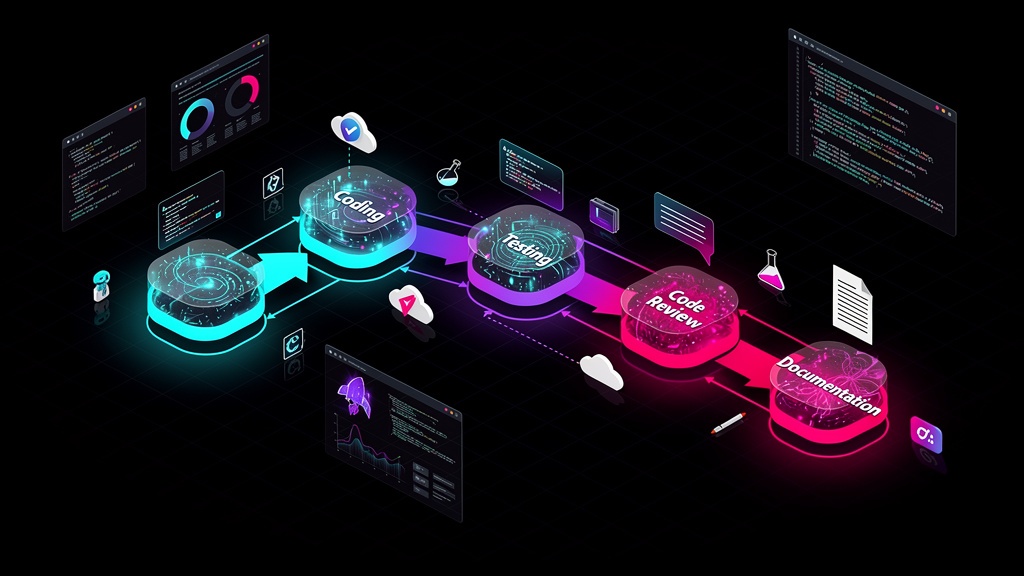
- Multi-agent orchestration — Tools will coordinate multiple specialized agents (coding, testing, security review) on single tasks
- Voice-first coding — Natural language voice commands becoming primary input for routine operations
- AI-native testing — Test generation that achieves 90%+ meaningful coverage (not just line coverage)
- Cost collapse — Competition driving prices down 50–70% by end of 2026
For deeper analysis on how these tools connect to broader industry trends, explore our future of web development and developer skills beyond coding guides.
Conclusion: The Right Tool for the Right Job
The AI developer tools market in 2026 is mature enough that there's no single "best" tool — only the best tool for your specific context. Cursor dominates IDE-native workflows. Claude Code leads terminal-first development. Devin handles autonomous task execution. v0 accelerates frontend prototyping.
The developers who thrive aren't those who use every tool. They're the ones who deeply understand 2–3 tools and integrate them into a coherent workflow. Start with your biggest friction point — is it writing new code? Reviewing PRs? Generating UI? Documenting APIs? — and pick the tool that solves that specific problem.
One thing is certain: the gap between developers who leverage AI tools effectively and those who don't is widening every quarter. The time to build fluency is now.
For more on building your AI development career, see our guides on ML fundamentals for developers, LangChain vs LlamaIndex for RAG applications, and the complete technical interview guide.
Share this article
Written by
AdminThe Topdevguide editorial team — covering AI, software development, and tech career trends across the USA & Australia.